> For the complete documentation index, see [llms.txt](https://docs.bondprotocol.finance/llms.txt). Markdown versions of documentation pages are available by appending `.md` to page URLs; this page is available as [Markdown](https://docs.bondprotocol.finance/products/permissionless-bonds/issuers/deploy-a-bond-market.md).
# Deploy a Bond Market
Before reading any further, we recommend reading our [three-part guide](https://twitter.com/Bond_Protocol/status/1671195666507530241?s=20) that covers preparing, configuring, and monitoring bond market deployment.
### Step 1: Click on Issue a Bond
This is accessible via the MARKETS and TOKENS tabs located at the footer
Via MARKETS
Via ISSUERS
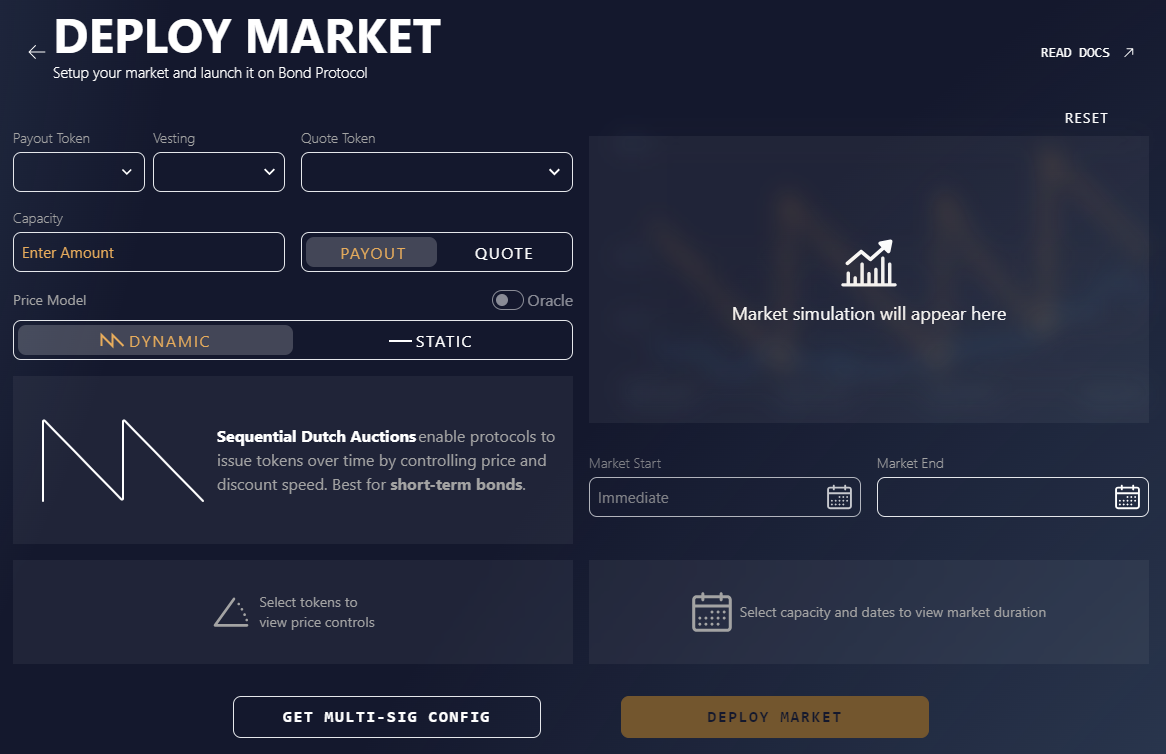
#### Step 2: Deploy Market
You should see the below page. If not, click this [link](https://app.bondprotocol.finance/#/create)